Phrases
Phrases let you define spoken command templates (including variables and alternates), control how they match, and attach ordered action stacks with configurable arguments for reliable hands-free execution. Phrases are the words you say, and when Action Phrase hears a phrase, it runs the actions assigned to it.
What Is a Phrase?
A phrase contains:
- The text to listen for
- Optional variables (such as numbers or custom values)
- One or more actions to run when matched
How Phrases Work
- You speak.
- Action Phrase converts speech to text.
- The app compares what you said to your saved phrases.
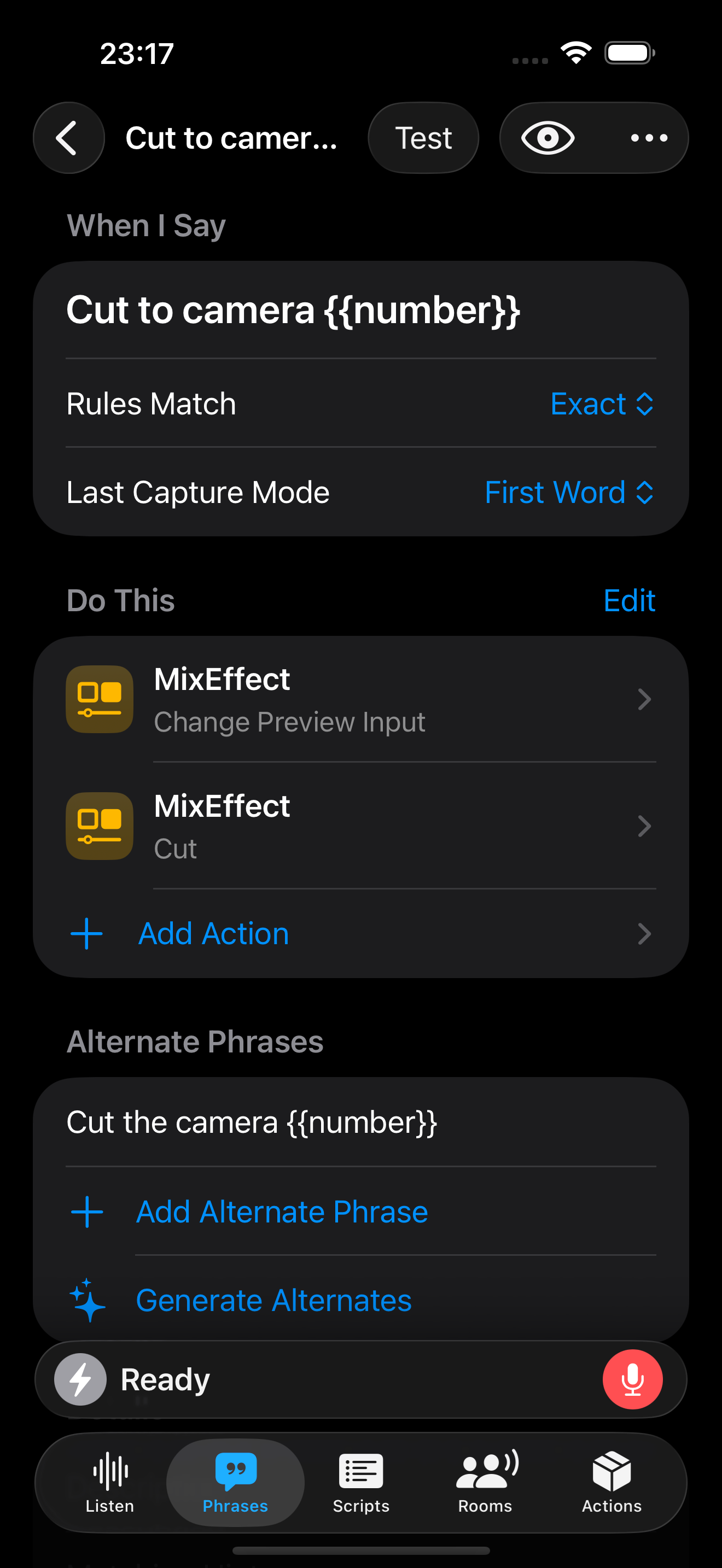
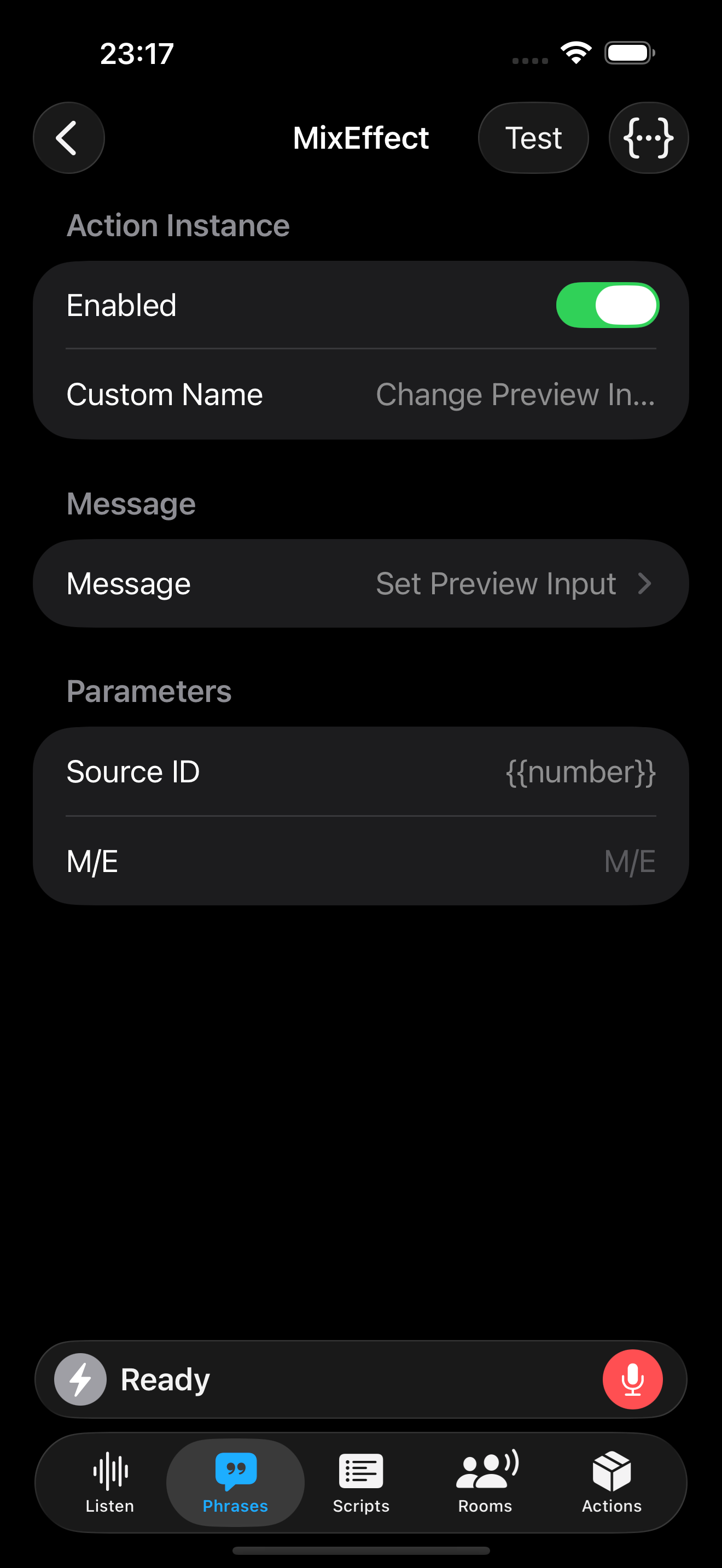
- If there’s a match, the phrase’s actions run. Variables in phrases are passed to parameters in the action instance that you have configured.
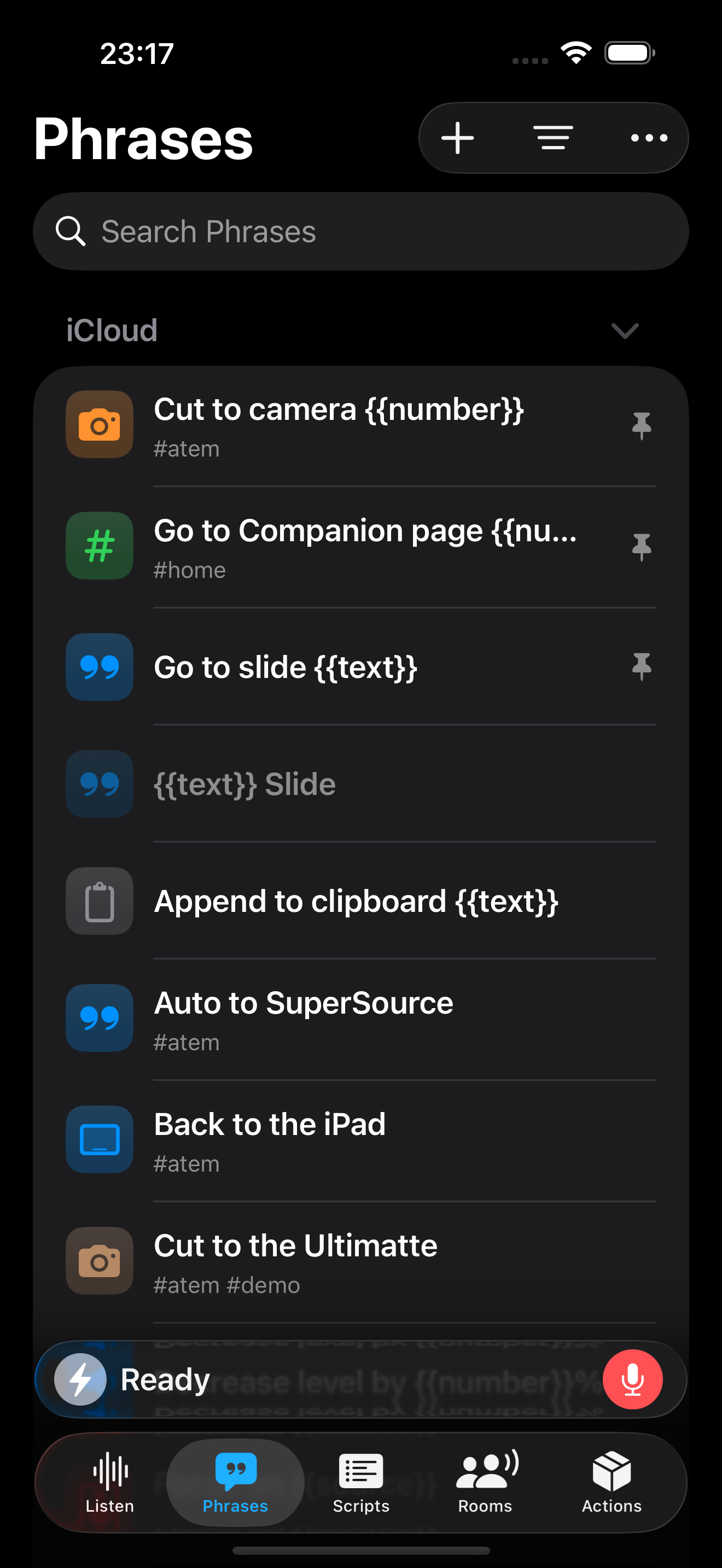
The screenshot below looks at the Cut to camera action with the variable number being used to set the preview input on an ATEM switcher using MixEffect.
Toolbar
New Phrase
Tap + to create a new phrase. Learn what fields to enter here.
Filtering and Sorting Phrases
You can filter phrases by their enabled/disabled status:
- All
- Disabled
- Enabled
- Active
Sort them via the following criteria using ascending or descending direction:
- Name
- Date Created
- Date Modified
- Color
- Icon
More Options
Additional options can be found in the More menu:
- Phrases/Groups: Quick switcher to jump between the Groups and Phrases sections.
- Select Phrases: Perform operations on selected phrases
- Show Details: Show additional information abiout each phrase, including its description and tags
- Show Run Buttons: Displays buttons that you can use to immediately run a phrase's actions
- Import: Imports data into Action Phrase
- Export: Exports all phrases to an actionphrase document