Manual Group
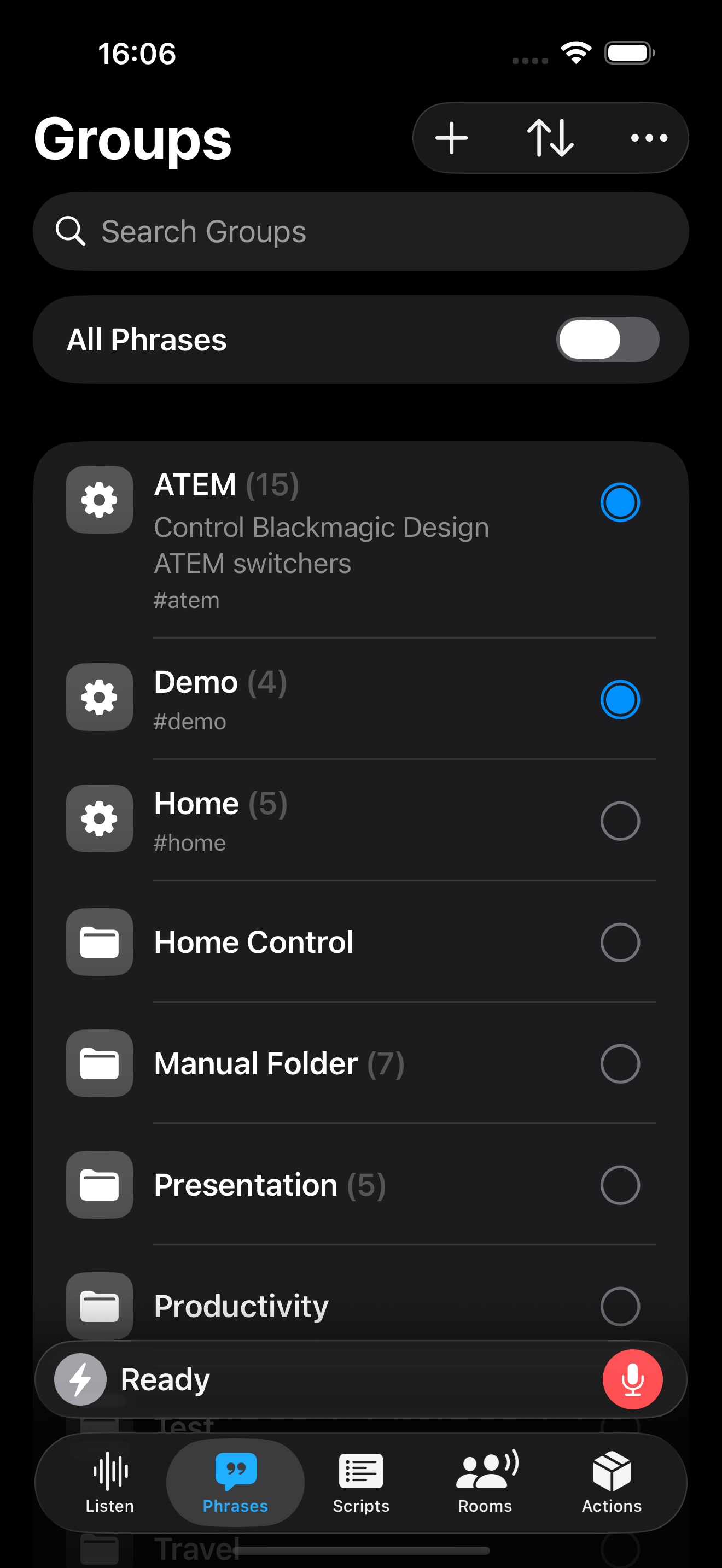
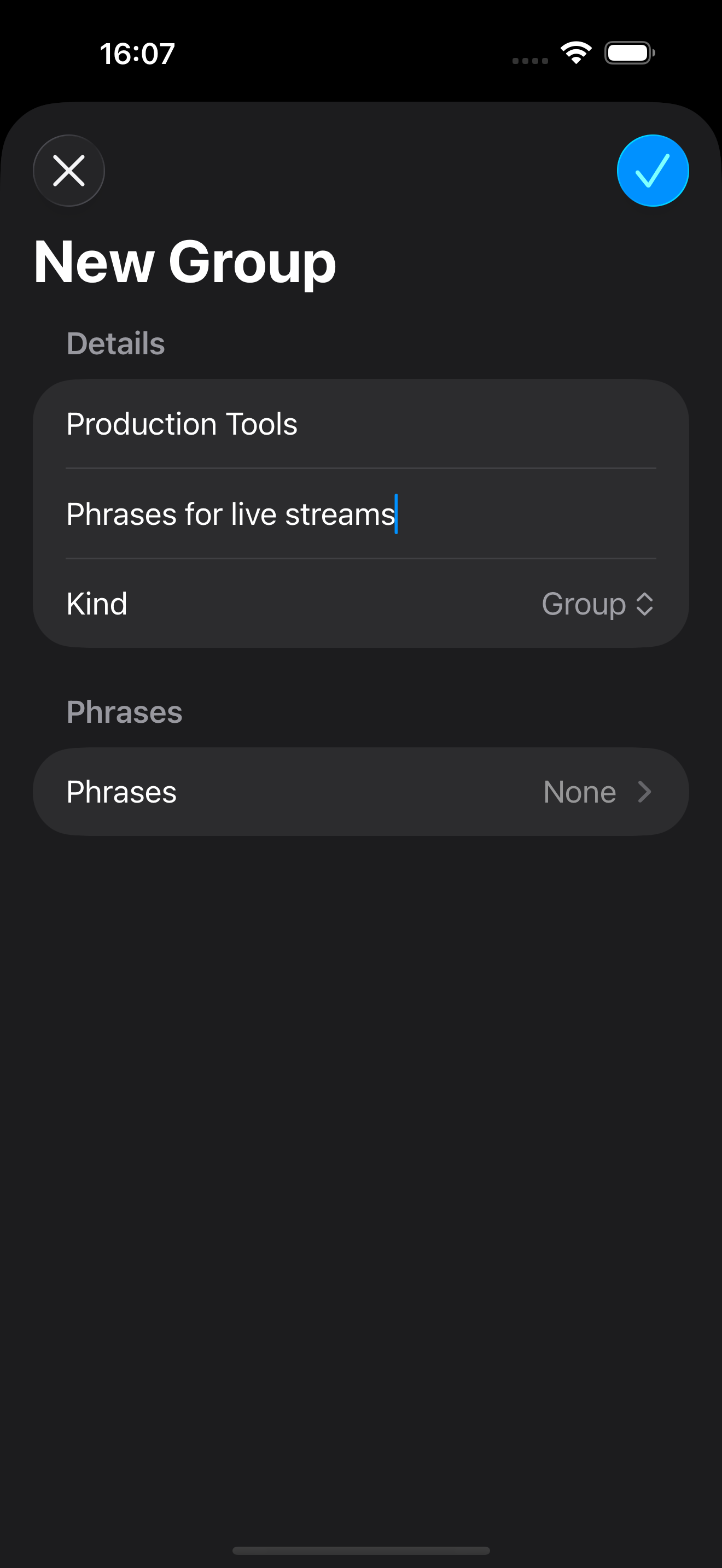
To create a new manual group in Action Phrase, perform the following:
- Go to the Groups section
- Tap +
- Enter the name of the group
- Optionally enter a description for the group
- Select Group from the Kind menu
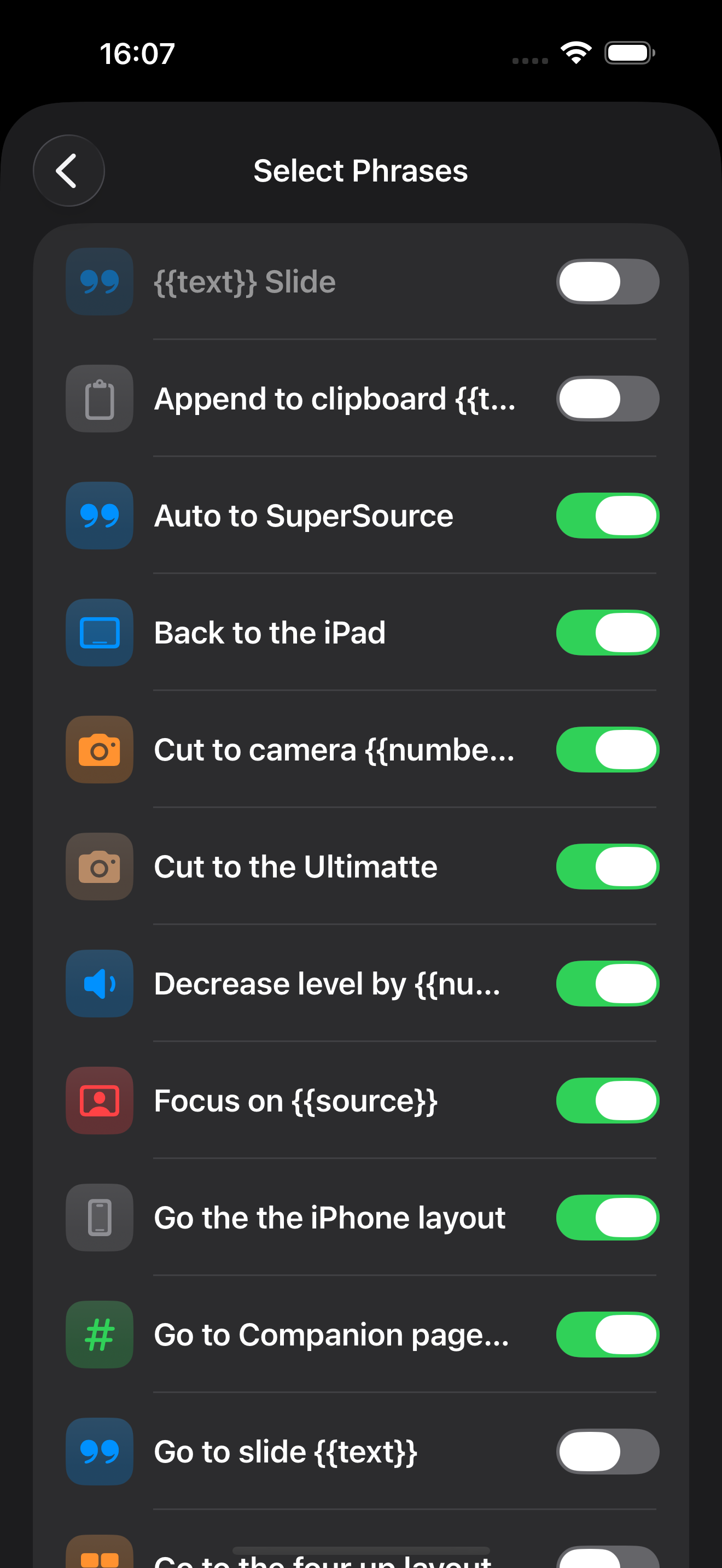
- If Group is chosen, select the Phrases that you want to add to the group